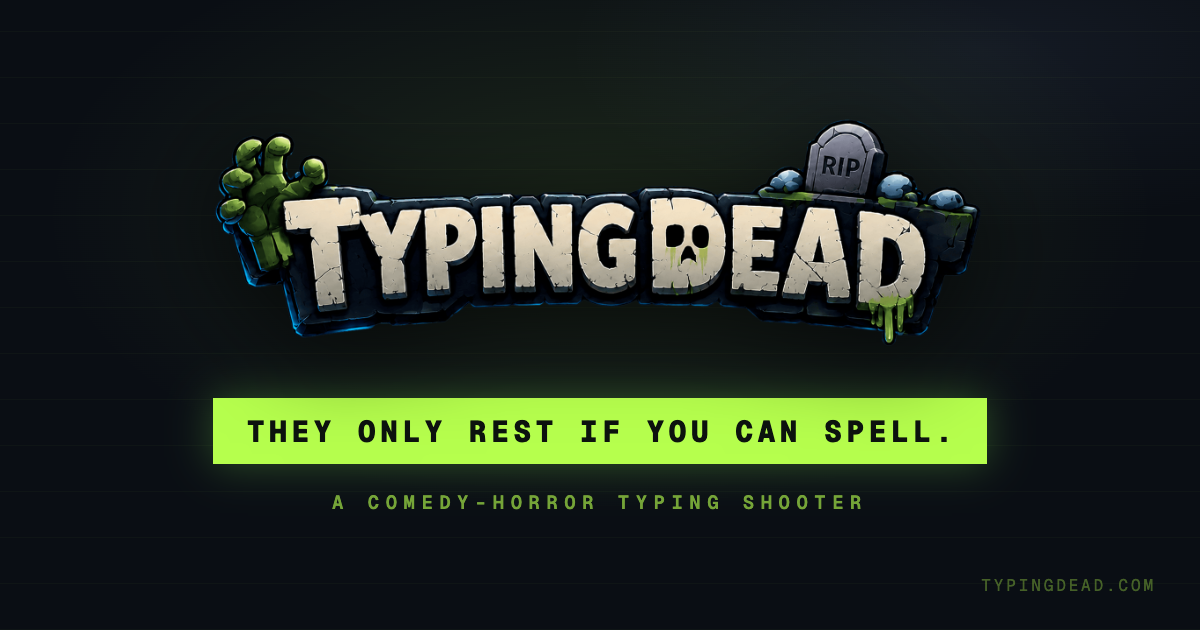
I needed something to do between medical appointments. A few days later I had a free 3D comedy-horror typing shooter, homemade zombie voices, an intro film, and a co-op beta.
How a Hospital Distraction Turned Into TYPING DEAD
TL;DR
The answer got out of hand in the best way.
A few days later it had rigged characters, custom shaders, a story, homemade sound effects, native mobile typing, an intro film, a full pause desk, performance tooling, and an experimental co-op mode. The stack is Bun, Vite, React, TypeScript, Three.js, Web Audio, Remotion, and a small Bun relay on Fly.io for the co-op beta.
This is the longer, more honest version of how it happened.
So I was doing some medical appointments and needed something distracting.... Build a web based typing game.
— Agnel (@agnelnieves) July 16, 2026
A few days later… This is what came out.... Typing Dead a comedy-horror zombie typing shooter.
Documented everything in this thread🧵 pic.twitter.com/JsbSDtnG2Q
The actual beginning
This was not a startup idea. There was no roadmap, no market research, and definitely no pitch deck.
I was sitting in a hospital waiting room going through a stretch of medical appointments. I was stressed and wanted something that could keep my brain occupied for a while. Around the same time, GPT-5.6 Sol had just come out, and I wanted to see what it could do with a game instead of another dashboard.
ZType was the obvious starting point. I played it endlessly in college. The mechanic is almost perfect: words move toward you, typing the first letter locks onto a target, and finishing the word destroys it. Typing is the targeting system and the weapon at the same time.
I described the concept, the three camera views I had in mind, the wave structure, and the general horror-comedy direction. Then I let the first generation run.
About three hours later, I had something playable.
It was extremely bare bones. The hero and enemies were boxes. The music and sound effects were generated placeholders. The UI was rough. But the core loop already worked, which was the only thing that mattered at that moment.
There were three views:
- Night Watch, an over-the-shoulder view.
- Surround, where enemies close in from every direction.
- Lane, the closest version to classic ZType.
The prototype was a one-shot output. The game that shipped was not.
That distinction matters because "AI made a game in one prompt" is a fun headline and a terrible description of what happened next. The first generation proved the idea. The next several days were product design, art direction, systems work, tuning, debugging, and a lot of me staring at models that were somehow inside buildings again.
Day 1: replacing the boxes with an actual cast
The first big problem was obvious: the game needed characters.
The hard part was not downloading a GLB. The hard part was explaining the entire setup to an AI coding tool without repeating myself forever:
- Which file is the character?
- Which skeleton rig does it use?
- Which animation means walking, attacking, throwing, getting hit, or dying?
- Which hand owns the weapon?
- Which prop goes with which character?
- What should the character be called inside the game?
So I stopped prompting and built a small internal asset configurator.
It let me preview the characters, apply animations, attach props, inspect poses, and export one structured block containing the model path, rig, aliases, animation map, and implementation notes. Instead of trying to describe the setup from memory every time, I could paste the exact configuration into Claude or Codex.
That little tool saved more time than almost any individual prompt. It also taught me something that kept coming up during the whole project: when an AI tool repeatedly misunderstands your context, sometimes the answer is not a better paragraph. Sometimes the answer is building a better source of truth.
Once the configuration was explicit, the boxes became animated skeletons. They walked, ran, threw weapons, dissolved, lost body parts, and carried glowing words above their heads.
It immediately felt like a game instead of a prototype.
Day 2: finding the look without pretending I knew every shader value
I wanted the visual direction to sit somewhere between Borderlands-style inked 3D and the chunky readability of a mobile strategy game. Stylized, graphic, a little dirty, but still readable when several words are moving toward you at the same time.
Again, describing that was not enough.
I built another internal playground, this time for the visual stack. It could:
- Load every character and prop.
- Switch animations.
- Show the rig and wireframe.
- Preview the dissolve effect.
- Adjust the toon-light bands.
- Tune the ink outline.
- Test glowing eyes and hit flashes.
- Copy the resulting values as structured configuration.
I used the knobs to get the look where I wanted, then gave the exact output to the coding model to integrate into the real engine. That was much more reliable than asking it to "make this feel more like Borderlands," which is the kind of prompt that can produce twelve different interpretations and somehow all of them are too shiny.
The final scene uses custom Three.js shader work for toon lighting, outlines, hit flashes, and dissolves, plus bloom, grain, fog, chromatic damage, dynamic moonlight, lightning, shell casings, tracers, rubble, decals, and a lot of small effects that are individually cheap but collectively make the world feel alive.
I also designed the new logo and used a quick Figma pass to establish the title-screen button and general hierarchy. The title scene became its own little cinematic tableau: characters rising into frame, clouds moving across the moon, lamps reacting to lightning, and the game continuing behind the interface.
The most annoying part was placing buildings.
AI coding tools are very good at writing a Three.js mesh loader. They are much less good at understanding that two buildings cannot occupy the same physical space just because both positions look reasonable as numbers. I kept finding props inside walls, facades fighting each other, and pieces intersecting at angles that only made sense to a machine with no body.
That part took actual visual review, screenshots, adjustments, and repetition. There was no magic prompt.
Day 3: I beatboxed the theme because words were failing me
Sound is hard for me to describe.
I knew what I wanted the theme to feel like, but every text description sounded generic: dark, rhythmic, retro, tense, typewriter, horror, but funny. None of that explained the rhythm I could hear in my head.
So I went into a closet and beatboxed it.
Not elegantly. Not professionally. Just enough of the pulse and mouth percussion to communicate the idea. I passed that recording into Suno as a reference, and it generated the first version of the theme from something I could perform but could not explain.
That became the general pattern for the audio:
- A typewriter-style hit for correct letters.
- A real bell DING when a word is completed.
- A deliberately uncomfortable miss sound for typos.
- My own voice for the zombies.
- My own mouth noises for menu movement, selection, pause in, and pause out.
There is a behind-the-scenes recording of me in the closet doing skeleton breathing, tank groans, boss noises, and tiny menu clicks. It is one of the least dignified things I have ever documented, which means it was obviously going into the devlog.
Later, I re-recorded the cast and processed the takes in post. The enemies all needed different identities even though they were the same person—me—making increasingly questionable sounds into a phone:
- The Mumbler needed a tired, ordinary complaint.
- The Jogger needed short breaths because it is always running.
- The Emeritus needed more weight.
- Rottenmax needed a voice lower than mine actually goes.
The final files are still intentionally homemade. I cleaned them, pitched and layered some takes, normalized the loudness, and let the game's spatial audio provide the room. I did not want them polished into a generic monster library.
One voice is the entire cast budget. It fits the project.
Day 4: DEADTYPE became TYPING DEAD
deadtype internally. I kept looking at it and feeling like the words were in the wrong order.deadtype because renaming every internal path during a one-week build is how a fun distraction turns into administrative work.This was also when the game started needing a real interface around the run.
I added a pause desk with:
- Four difficulty settings.
- Separate music, effects, voices, and interface volume controls.
- Keyboard and motion settings.
- An About section for the story and credits.
- A local personnel file with stats.
- A character archive.
- Shareable report cards.
The character archive was inspired by the mercenary menu in Assassin's Creed Odyssey. I always liked the feeling of discovering a larger cast through a board of dossiers, so I used that as the starting point and pulled it into TYPING DEAD's records-office world.
Everything stayed local. No account, no signup, no fake onboarding ceremony. You could change your personnel record, keep your best run, generate a card, and leave.
At this point the interface also started feeding the fiction instead of sitting on top of it. A typo was no longer just "wrong." It got the red pen. Completing a word became filing a record. The dead were not enemies to erase; they were customers carrying a correction.
That shift made the whole project clearer.
Day 5: giving the game a reason to exist
The mechanics worked, but the story still felt attached afterward.
I wanted one explanation that made the typing, the zombies, the robot, the office, and the comedy all belong to the same idea. The starting point was two familiar frustrations: autocorrect changing what you meant, and never reaching a human when something actually matters.
The story became this:
In Remington Falls, people used to review the dead's last words by hand. Eulogy AI was hired to modernize the records. When it was unsure about a word, a human proofreader checked it.
Then the company decided checking cost too much.
The proofreaders were let go. The approvals were set to answer themselves. That night, the system guessed 21,309 missing last words and rewrote the town's records. By morning, the cemetery was standing in line.
They are not really villains. They have been misquoted.
Each person carries the word the AI got wrong—their real one. The only worker left is an old typing robot that never learned to guess. It types the words correctly, the bell rings, and the customer can finally rest.
That story became a first-run intro film inside the game. I used generated visual experiments through Venice, including Seedance and Wan, then edited the shots, narration, timing, typography, and game integration around the actual story. It only plays automatically on the first visit, and you can replay it later from the title screen.
The useful test became one sentence:
The AI wrote the dead people's words wrong, and the robot types the right ones so they can rest.
If a new screen, effect, or piece of copy made that harder to understand, it was probably the wrong thing.
Day 6: re-recording everything that was annoying me
By this point the game was playable, which meant I could finally hear every placeholder that was bothering me.
So I went back into the closet.
I recorded more zombie takes, defeat breaths, runner loops, menu navigation, selection sounds, and the pause transitions. Then I tested them in the actual scene, where distance, music, the DING, and the player's typing all fight for the same small amount of attention.
The important audio lesson was not "make it louder." It was deciding what owns each moment.
The DING owns a completed word. Zombie defeat sounds have to get out of its way. Idle groans can give the street depth, but they cannot hide the next target. The Jogger's breathing should warn you before the label becomes the only clue. Menu sounds should feel physical without turning every settings change into a kitchen drawer falling down the stairs.
I am still not pretending I became a sound designer in a week. I just kept replacing the thing that annoyed me most until the mix felt like it belonged to the same game.
Day 7: obviously I tried to add co-op right before launch
The sensible thing to do before publishing was fix bugs and go to sleep.
Instead I thought, why not make it cooperative?
The beta lets one player create an invitation code and another join from a separate browser. A small content-blind Bun WebSocket relay on Fly.io moves messages between the two sessions. The host remains authoritative, and the relay does not need to understand the game payload.
The first version was rough. Character positions needed work. Words could fall out of sync. A shared kill did not always resolve cleanly on both desks. I included it in the build thread because it was part of what I was exploring, but I did not pretend it was finished or include it as a promise in the first public launch.
That is still how I think about it: a useful beta and an architecture experiment, not the headline feature.
The initial Product Hunt page explicitly said there was no public multiplayer mode. That was true. The relay and co-op work existed, but the live core game needed to stand on its own first.
Turning eight days of recordings into the thread
Every day I recorded a walkthrough of the current build. I also had the closet recordings, source clips, screenshots, and the parts where I explained why I had built another internal tool instead of continuing to prompt.
I put the devlog together with Remotion.
The project has one section per day, title cards, the original game DING between chapters, karaoke-style captions built from transcripts, and the behind-the-scenes sound clips inserted at the right point. Remotion was useful here for the same reason I like code for motion prototypes: timing becomes data. I could line up a caption, a card, a screen recording, and a sound cue exactly, then render it again without rebuilding the edit by hand.
The full version is much longer than any reasonable social post, so the X thread carries the build in smaller pieces. The embedded post near the top is the front door to the entire thread.
The architecture underneath the fun part
The stack sounds like a normal web app until you get to the part where every keystroke has to feel immediate.
| Layer | What I used |
|---|---|
| Runtime and package manager | Bun |
| Build tool | Vite |
| Interface | React, Tailwind CSS, Radix UI, shadcn/ui |
| Game engine | Imperative TypeScript + Three.js |
| Audio | Web Audio + authored music and recordings |
| Devlog | Remotion |
| Hosting | Vercel |
| Co-op beta | Bun WebSocket relay on Fly.io |
React owns the title screen, pause desk, and HUD. It never enters the animation frame loop.
window keydown event directly into the engine. Mobile uses one real native input and commits the same one-letter action into the same synchronous path. React only receives a HUD snapshot every eighth frame.That boundary is probably the most important technical decision in the project.
If every letter waited for React state, a component update, or an async action, the game could look beautiful and still feel wrong. Typing latency is the game. It is not a performance detail to clean up later.
The same thinking shaped the floating words. They are drawn with HTML Canvas and positioned in 3D, but crowded waves made them collide on screen. I ended up with a two-axis collision solver that protects the locked word and nearest dangers, stabilizes prior positions, opens side lanes when needed, and avoids new allocations after warming up.
Again: readability before spectacle. Nobody cares how nice the shader is if they cannot tell which word is about to reach the desk.
Where AI helped, and where it did not
The first prototype was a one-shot AI output. The full game was an AI-assisted build with a lot of different loops.
OpenAI Codex with GPT-5.6 became the main engineering environment. It read the repository rules, traced the real input or render path, made focused changes, ran Bun checks, opened the game in a browser, compared visual results, and measured performance work.
I also used Claude and Grok for a smaller number of tasks and experiments. Claude was especially useful while I was working through the early KayKit model configuration. Venice was part of the generated visual workflow for the title and intro experiments. Codex image tools generated documented source material for selected portraits and the final cobblestone pipeline. Suno turned my beatbox reference into music.
What made the coding tools useful was not asking them to make the game better. It was giving them constraints:
- The engine stays TypeScript and Three.js.
- React never enters the frame loop.
- Nothing async or allocation-heavy touches a keystroke.
- Gameplay randomness and cosmetic randomness stay separate.
- The visual look cannot quietly break performance.
- The dead are customers, not disposable monsters.
- Every change has to pass build, lint, browser checks, and targeted performance checks when relevant.
Strong rules produced much better work than open-ended taste prompts.
I still chose the idea, the ZType inspiration, the mechanics, the camera behavior, the difficulty, the art direction, the story, the tuning constants, and the final copy. I rejected plenty of output. I moved buildings by hand when the model clearly had no idea where a street was. I re-recorded sounds because they annoyed me. I renamed the game because the first name did not feel right.
Also important: there are no runtime model calls in the shipped game. Player keystrokes go to the local engine, not to OpenAI, Anthropic, xAI, or anybody else.
AI was part of the development process. It is not sitting inside the game judging your spelling.
Launching before it felt finished
I launched TYPING DEAD as what I called a proof copy: a playable public experiment, not a final edition.
- After ten seconds, can you explain what is happening?
- Does every keystroke feel immediate and fair?
- After one run, do you want another?
The feedback was exactly the kind I needed. People liked the core loop, but they also called out repetitive word pools, first-wave confusion, rough edges, and performance. None of that was surprising. It was useful to see which problems showed up before I explained the game to them.
That feedback turned into the less glamorous work after the thread:
- A deep performance pass with repeatable benchmarks.
- More pooling and instancing instead of spawning work freely.
- Compressed models and textures.
- Physical render-quality tiers.
- Better native mobile focus behavior.
- Clearer first-run guidance.
- A local personnel file and, later, the Night Ledger leaderboard.
- More work on the office scene and how future maps could connect to the story.
The public build moved forward, but I am glad the launch copy was honest about what it was. Saying "early" gave people permission to tell me where it was rough instead of reviewing it like I had declared it finished.
What I learned
Honestly, this could be its own post. The short version:
Responsiveness is an architecture decision. You cannot add immediate typing at the end if every letter already travels through the wrong layers.
Specificity matters more than prompting skill. The asset configurator and shader playground did more for the result than clever adjectives. They turned taste into inspectable values.
Readability wins. A clean word, a strong target lock, and a predictable DING matter more than another particle effect.
Story can do systems work. Once the game became a records office correcting bad last words, the interface, audio, enemies, scoring, and copy all had somewhere to go.
AI tools are better with a contract. A fixed architecture, product brief, tuning reference, visual target, story bible, and executable checks made the work dramatically more consistent.
Shipping the weird thing is the point. I started this because I needed to get through a stressful waiting room. It did that. Everything after the first playable prototype was curiosity taking over.
That is probably why I like side projects so much. They do not need to justify themselves before they exist. Sometimes they are just a way to get your mind through a difficult week. If you are lucky, you look up a few days later and there is a haunted records office, a typing robot, and an entire cemetery waiting for spellcheck.
Play it
If you try one run, tell me where the night lost you. Performance, confusing words, unfair deaths, anything. I am still figuring out what the larger game should become.
- Play TYPING DEAD
- View the source
- Open the X build thread
- See the Product Hunt launch
- Read the Devpost submission